
Enter your plan
Add income sources, recurring expenses, timing rules, and a known starting balance.
Day-by-day cash-flow forecasting in Excel
TheoryCashing turns your income schedule, recurring obligations, and current balance into a practical calendar forecast—without connecting to your bank or uploading your finances.
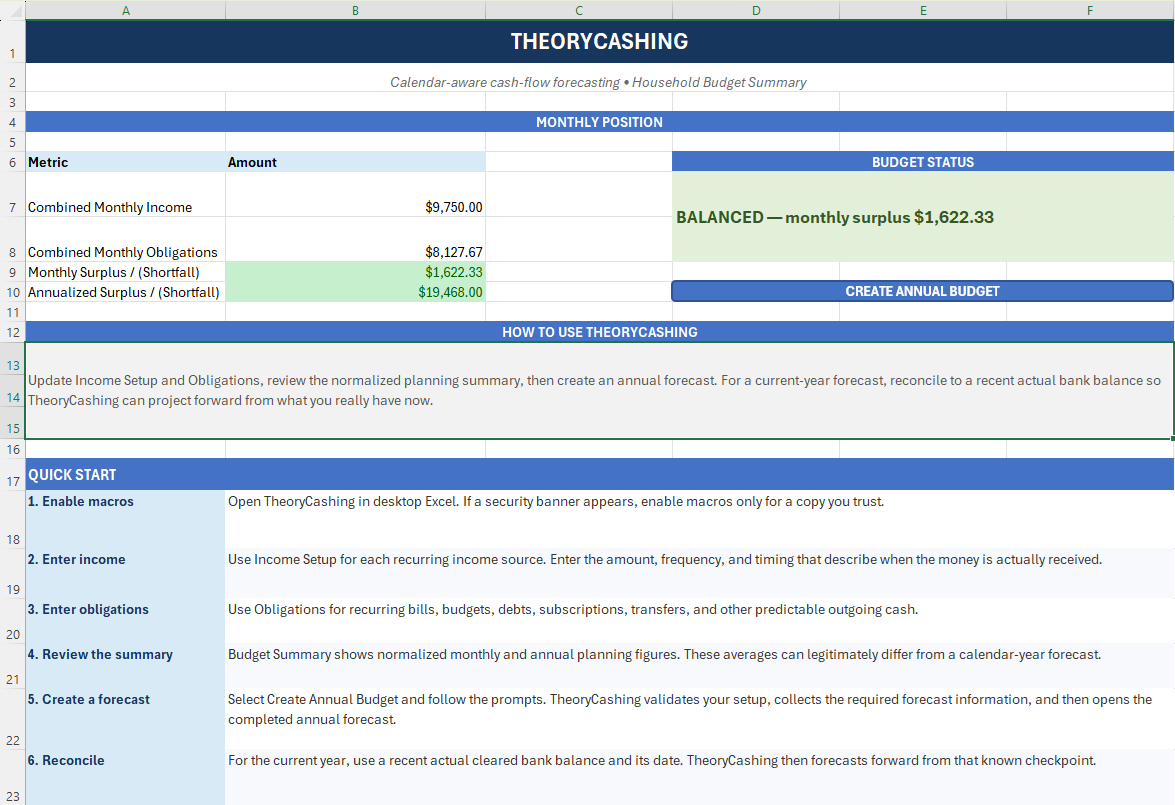
Most budgets ask “On average, do I make more than I spend?”
TheoryCashing also asks “Will the money be there on the day I need it?”
How it works
Configure the things that repeat. TheoryCashing handles the calendar math and produces a forecast you can inspect and adjust.
Add income sources, recurring expenses, timing rules, and a known starting balance.
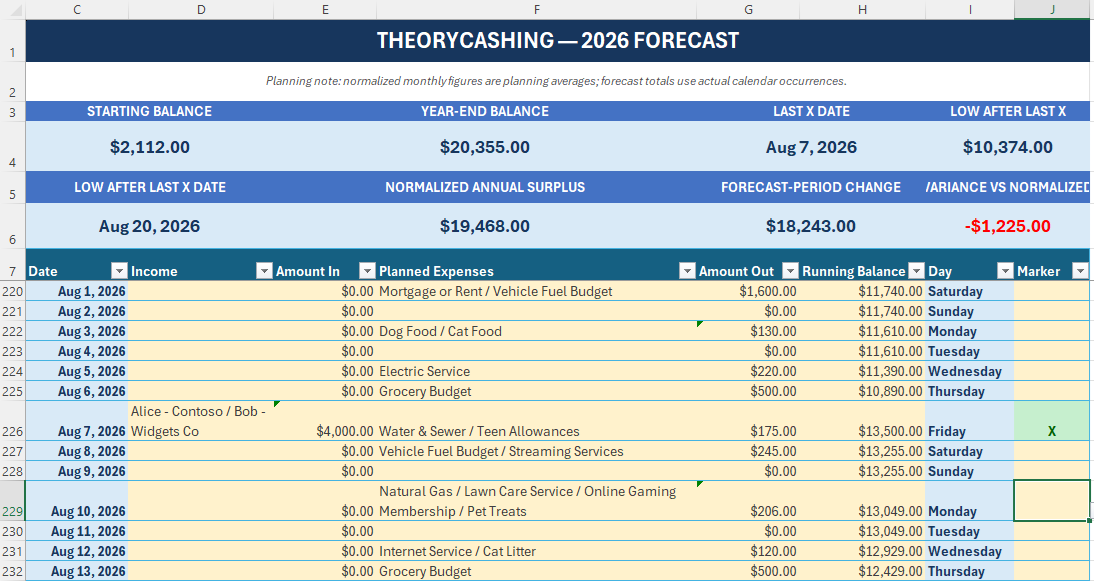
Create a calendar-year forecast with scheduled inflows, outflows, and a running balance for every day.
See low-balance periods and timing mismatches that monthly averages can hide.
Built for real calendars
Model weekly, biweekly, semimonthly, monthly, quarterly, and annual activity.
Forecast household cash flow across different employers, pay cycles, and timing rules.
Follow the running balance and find the lowest projected point after reconciliation.
Update the plan as circumstances change, then generate a fresh view of the year.
Use macros thoughtfully
TheoryCashing runs locally and does not require a cloud account or bank connection. It is an .xlsm workbook and uses VBA macros to generate forecasts.
Download it only from the official project, inspect the published VBA source if you wish, and enable macros only when you trust the file. Never use a forecast as a substitute for checking your actual bank balance.
Inspect the VBA sourceStart forecasting
Requires desktop Microsoft Excel with VBA macro support.